
SKILLSFUTURE CLAIM SUBMISSION
FOR WSET COURSES LEVEL 1 to Level 3
Follow these steps to use your SkillsFuture Credits for our WSET courses:
STEP 1:
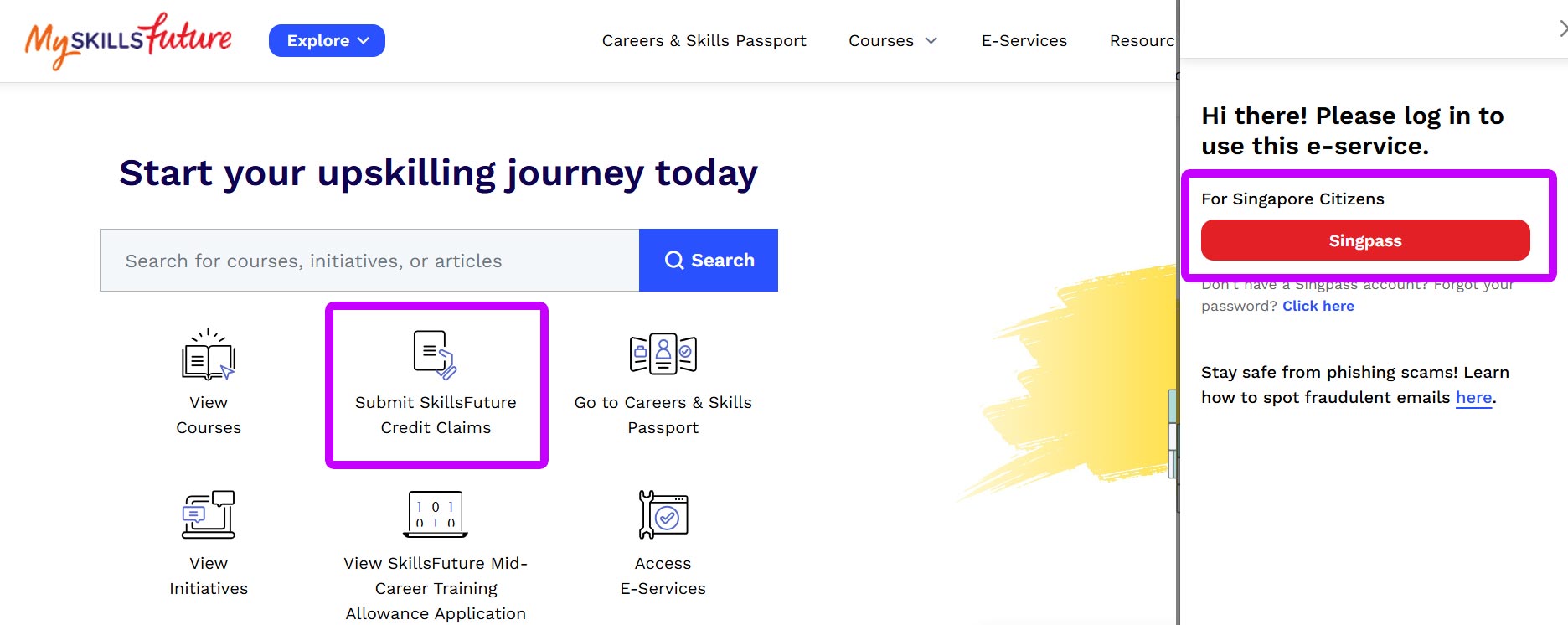
1) Visit www.myskillsfuture.gov.sg
2) Click on the "Submit Skillsfuture Credit Claims" and sign in with your Singpas.
STEP 2:
1) Click on the" Submit A Claim" tab
2) Enter the correct Course ID for your course in the text box below and press "Enter".
Course Name | Course ID |
WSET Level 1 Award in Wines | 2025055669 |
WSET Level 2 Award in Wines | 2025055670 |
WSET Level 3 Award in Wines | 2025055668 |
WSET Level 1 Award in Sake | 2025055672 |
WSET Level 2 Award in Sake | 2025055671 |
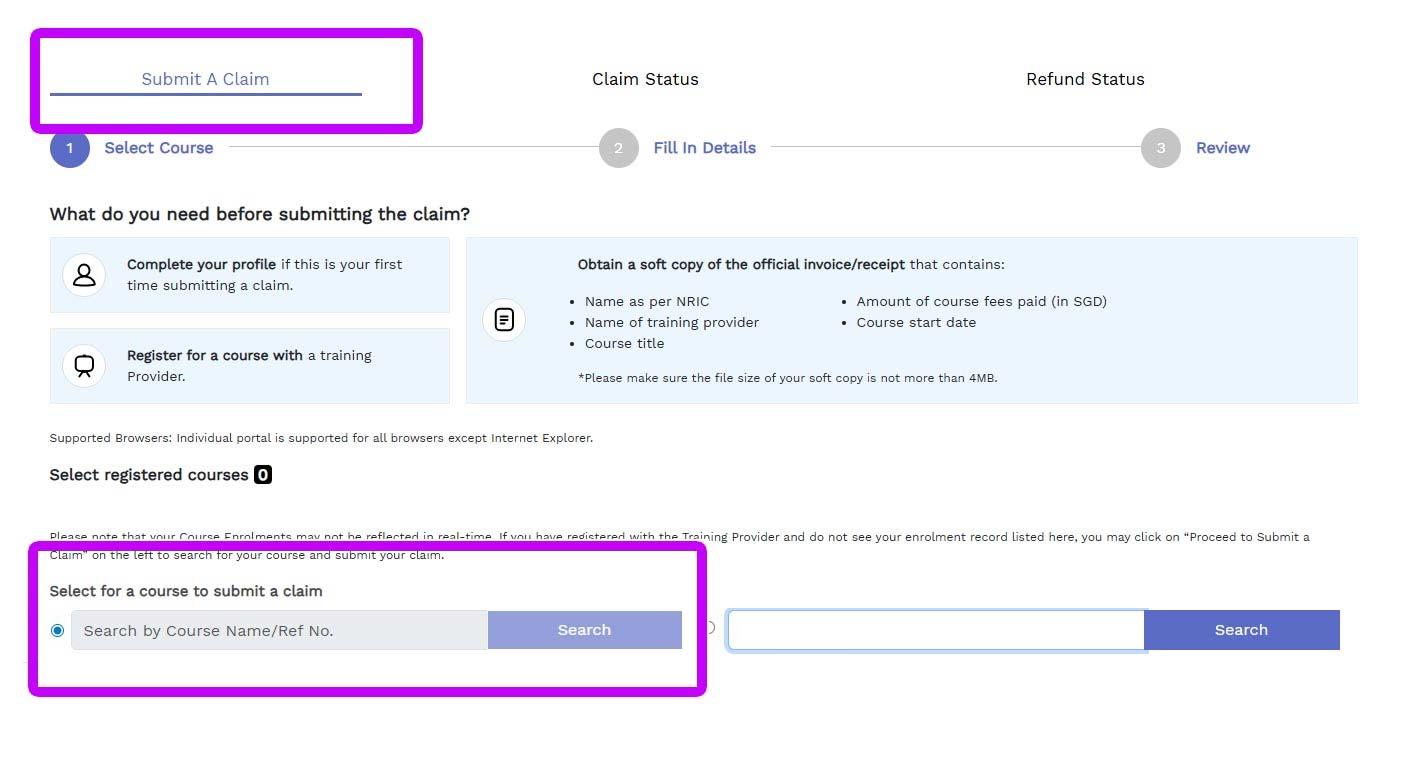
3) Please be patient as it will take 1-2 seconds for the system to locate the course id. Not to worry if system shows "No Results" as the course name will appear shortly.
4) Click on the "Select" button.

STEP 3:
1) Select a course date that you would like to enroll.
2) Verify that the course title shown on the left matches your selected course.
3) Enter the amount as instructed in the email sent to you.
4) Upload the quotation that we attached in the email and click on the review button.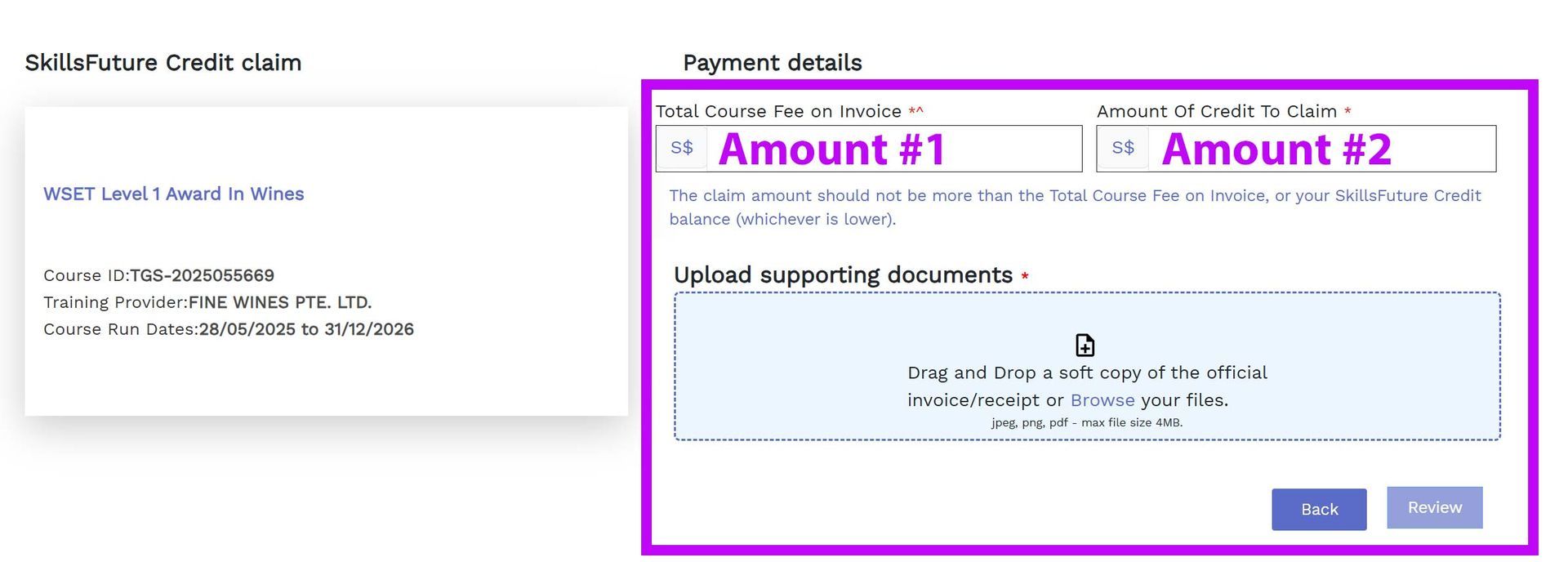
STEP 5:
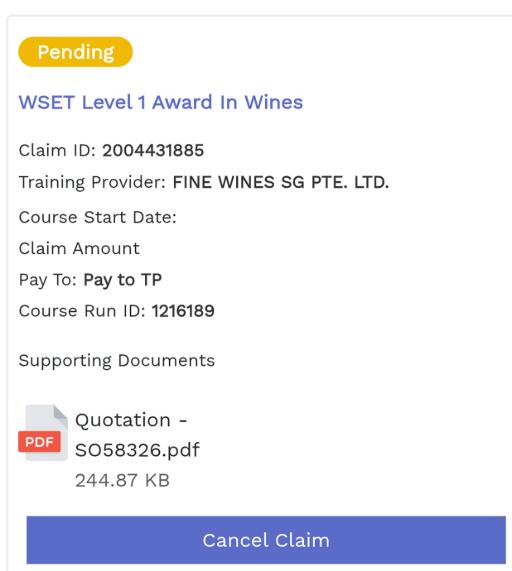
1) Take a screenshot of your completed submission and email to us.
2) Your registration will be completed once we received your submission.
II just completed the Level 2 WSET with PK at Fine Wines SG. I would highly recommend anyone to take this course whether or not you are in the F&B industry. I definitely get more enjoyment out of drinking wine going forward!

To install this Web App in your iPhone/iPad press
 and then Add to Home Screen.
